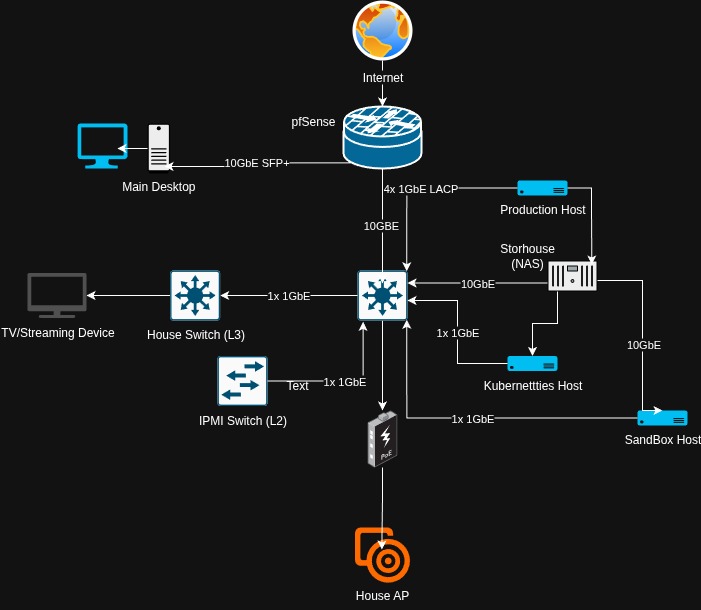
As funds/resources allow, I am planning on upgrading my main switch to a 10GbE switch. I am still deciding to go either SFP+ or RJ45. Either way, I will need to buy some RJ45 to SFP+ modules.
My current AP does all that I need it to. I am still wanting to upgrade it to a UniFi AP with WiFi 7 and a 10GbE port. My current AP will then be moved to my parents place to be in the mesh therefor greater coverage and stability.
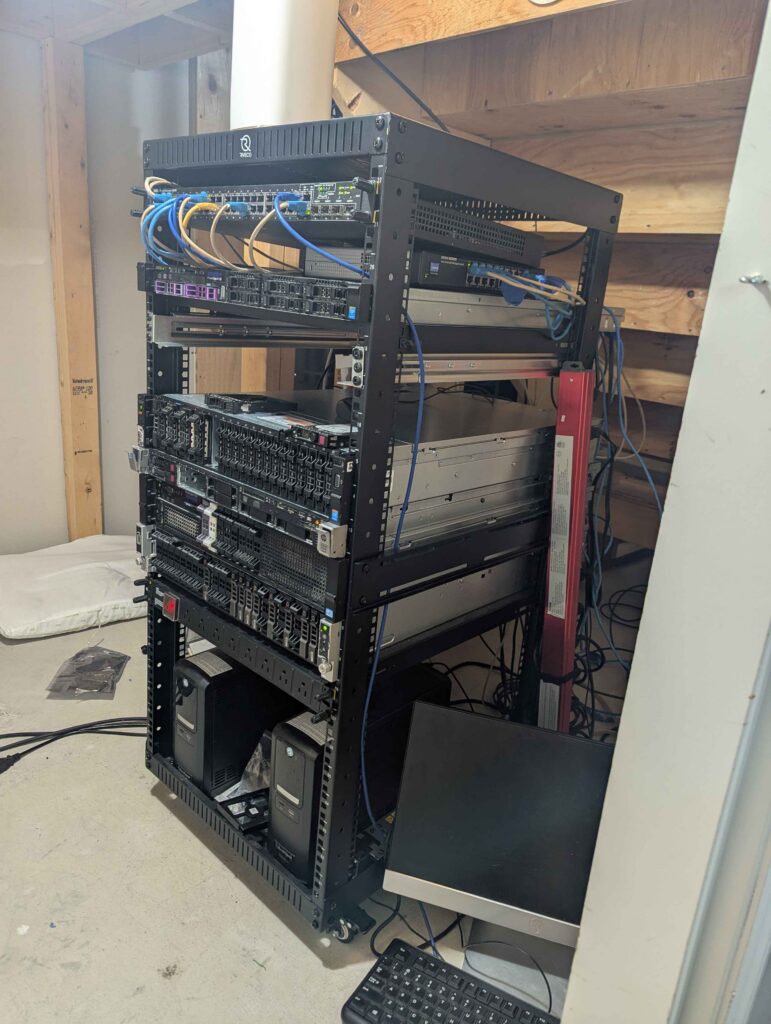
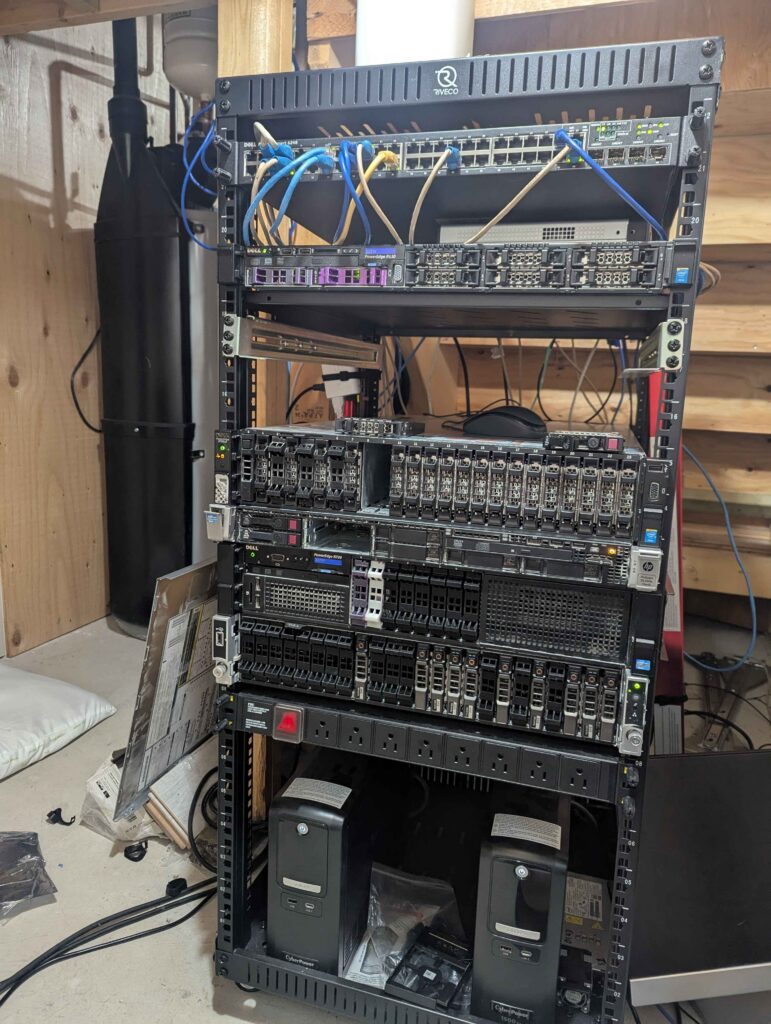
As always, upgrade/add servers to the rack. My production server is still running with a v1 XEON server. When I am able to find a V4 based server with more than 32GB of RAM, it will be upgraded next. The last server, the “cluster,” will be the last server to be updated when my resources can allow it.
Hardware wise, the last task that I need to complete is to have both of my UPS’s monitored, and automated to shutdown the home lab in a staggered progression, to maintain the core services up time. I have not decided if this will be in a VM on the production server, or if it will be on a dedicated “miniPC.”
The following diagram, the first one I have made, is the current layout of my home lab. I am in the process of building the Kuberneties cluster, and will fully install it soon.
In its current iteration, my home lab is comprised of fully recycled equipment, apart from the rack its self and the two UPS’s. (I will be redoing my cable management soon)
Over the weekend, I have been learning how to instruct ansible-pull to use a different branch for the git repo with the playbooks. This is my first time with managing a git repository for code development. (GitHub is self hosted) The more that I work with it, the more understanding of how it works, and the more refined my use of the platform will become.
I have also branched the main into a building branch. In this branch, I am tweaking the setup of the playbooks, adjusting the settings that I currently have set. At this moment, I only have a provisioning set of playbooks for provisioning each vm created on XCP-NG. In time, they will be more refined and robust.
One of the 1TB SAS drive in my had started to have a number of SMART errors. I ordered two drives (One replacement, one cold spare) from the ERA. (retail.era.ca) Once they arrived, I put the problematic drive into a offline state, swapped it for the replacement drive, and found that the system did not like the drive. When I rebooted the system into the controllers config menu, the only options for the drive was to locate it.
My next step was to boot back into the system and use the cli software for the controller. (MegaRAID/StorCLI) Using the software, the drive came up as Unknown Bad Unsupported. With googles help, I tried to sanitise/format/delete the drive. Every attempt was met with the “operation not aloud” type of response. I put all of the information into DeepSeek to see if I missed any options. It guided me through a few more things, to no avail.
I put the drive into my sandbox server and booted it into its controller config menu. The results where the same. Booting back into the OS and trying the same commands that I tried on the NAS, resulted in the same result. When I would read the size of the drive, it would say 0.
At this point, I was running out of ideas, and I was contemplating contacting the ERA for a replacement. I had also tried the same commands on both drives.
As I was working with DeepSeek to troubleshoot, it kept saying that it could be the meta data on the drive or in the controller that is bad/left over from its former host. The commands where trying to wipe the drive fully clean.
In my pondering, I remembered that I had flashed one of the controllers on my offline server from IR mode to IT mode. I powered on the server with the drives in it, went into the controllers config menu. Both drives came up as 0 in size. One the options available was format though. I formatted the first drive, and about 6 hours latter, the drive came up with its proper size. I removed the first drive, put it into my NAS. The controller accepted the drive, I added it back to the ZFS pool, and the re-silvering process started. My data was safe, and I had learned a lot from this process.
My takeaways:
Even with a format, a drive can still maintain some metadata.
For a drive to be apart of a JBOD array, it has to be FULLY wiped clean.
For MegaRAID controllers, you can use the StorCLI command to administer the drives/controllers/enclosures.
You can gain a lot of information about the controller/enclosure/drives from the StorCLI command.
There are times when a controller in IT mode can perform better then a card in IR mode.
AI can be a good assistant when diagnosing issues, especially when you are getting tired and/or in need a second opinion. (With being very diligent about not sharing personal/confidential information)
Some issues take some persistence to figure out the solution.
I enjoy figuring out technical issues, and learning at the same time.
Over this long weekend, I rebuilt my template on Debian Trixie. With having up to date software, there where some changes with cloud-init and ansible running on the first boot. It took a bit of time to figure out the changes. It seems like cloud-init runs the ansible playbooks before/in parallel with the cloud-init generating the ssh keys. Knowing this change, I know that cloud-init is not hung up and completed it work. Another thing that I have learned is that Cloud-init has to be installed for the full initial run of ansible. I have an ansible playbook to remove cloud-init after its initial run.
I finished the Linux Foundation Intro to Zero Trust cert last night. A Lot of the information is still being processed in my mind, I did find it enjoyable and informative. Over time, I am going to implement the software used in the labs in my home lab. This will be apart of the overall continual hardening of my home lab.